
WTMP — Who touched my phone?
Mindfulness DevsPhotography
4.77.23K Reviews
- Version
- 6.5.2
- Installs
- 10.00M
- Age Rating
- Everyone
Screenshots

Our Review of WTMP — Who touched my phone?
 Analysis by Appyee
There is a particular kind of irritation that comes from picking up your phone and finding something slightly changed: an app left open, a message marked as read, or a setting that does not look the way you remember. WTMP is built for that narrow but useful situation. Its purpose is to help you see who handled your phone, who unlocked it, and whether someone tried to unlock it while you were away.
I reviewed it as a photography-category app from Mindfulness Devs, although its practical role is closer to a device-awareness tool than a camera editor. It is free to install, rated for Everyone, and has become a widely used option with a 4.7 average from around 317 thousand ratings and more than 10 million installs. That popularity makes sense: the idea is immediately understandable, and it can be helpful in homes, shared workspaces, or any situation where a phone is sometimes left unattended.
How WTMP fits into a shared-phone situation
The most convincing use case is not dramatic spying. It is ordinary household confusion. Imagine leaving your phone on a kitchen counter while helping with dinner, then returning to find that the screen is awake or an application is no longer where you left it. If another person in the home picked it up, WTMP can give you a clearer record of that interaction than guessing from the phone’s recent activity.
That distinction matters. The app is useful for answering a narrow question: what happened to the phone while I was away? It is not a replacement for a conversation, a full parental-control system, or a general security suite. I found it most valuable when the device itself was shared casually rather than formally assigned to several people.
For example, a family might keep one phone available for deliveries, household calls, or music in a common room. Several people may know the passcode, or the device may already be unlocked when someone picks it up. In that environment, a normal lock-screen history does not explain much. An activity record can at least show that the device was used during a particular absence, helping the household discuss what happened instead of relying on assumptions.
There is also a practical workplace scenario. A phone may sit at a reception desk or in a small shared office while its owner steps into a meeting. If something changes, the owner can check the app rather than immediately blaming the nearest person. That makes the tool more useful as a source of context than as a weapon for confrontation.
The best results come when everyone understands that the phone is being monitored. Even in a family, silently checking on another person can damage trust more quickly than the original phone incident. WTMP can support coordination, but it cannot decide what level of privacy is appropriate for your household.
What the app actually helps you establish
The central promise is straightforward: WTMP focuses on phone access and attempted access. In everyday terms, it can help distinguish between a phone that was merely moved and one that someone actively tried to open. That is more useful than a vague feeling that the device was touched, especially when you are trying to work out whether a child, partner, roommate, or colleague interacted with it.
Still, I would avoid treating every recorded event as proof of intention. A child might tap the screen out of curiosity. A roommate might move the phone to make room on a table. Someone could try to unlock it because they thought it was their own device. The record can tell you that an interaction happened, but the meaning still requires context.
That is one of the app’s important boundaries. It does not turn a shared phone into a courtroom exhibit. It gives you a reason to ask a better question. In my experience, that is the healthiest way to use it: check the activity, compare it with what you already know, and speak directly with the people who may have handled the device.
Setting boundaries before leaving the phone behind
Installation is only the beginning. The more important setup task is deciding when monitoring is reasonable. If the phone belongs entirely to you and contains personal conversations, financial services, work material, or private photographs, you may want WTMP enabled whenever the device is unattended. If the phone is used by several members of a household, the rules should be clearer.
I would explain three things before relying on the app. First, what the app is intended to observe: access to the phone, not the personality or motives of the person using it. Second, who is allowed to check the records. Third, what action will follow if the log shows an unexpected attempt. Without those boundaries, a useful security measure can become a source of constant suspicion.
A simple arrangement works well in a shared home: the primary owner checks the activity only when there is a concrete reason, such as an unexplained change or a missing item. The rest of the household knows this in advance. That approach is less intrusive than turning every recorded interaction into a daily inspection.
Another useful habit is to test the setup while you are still at home. Lock the phone, leave it in its usual place, and have an agreed household member handle it in an ordinary way. Then check whether the event appears as expected. This is more reliable than waiting for a real dispute to discover that the app was not ready, the phone was not in the state you assumed, or the record is harder to interpret than expected.
Because WTMP concerns access to the device, the phone’s own security habits still matter. Use a lock method that is appropriate for the people who genuinely need access, and do not share a passcode casually if the phone contains sensitive information. The app can add awareness, but it cannot compensate for an openly shared unlock code or a phone that is routinely left unlocked.
There is also a trade-off between convenience and clarity. A shared household phone may be easier to use when everyone knows the unlock method, but that makes it harder to distinguish authorized access from unwanted access. A private phone with a strong lock gives the app a clearer job, yet it may create friction when someone needs to make an urgent call. WTMP does not remove that choice; it simply makes the consequences easier to notice.
Using the record to coordinate instead of accuse
One of the less obvious strengths of this kind of tool is that it can improve household coordination. Suppose a phone is repeatedly picked up because someone needs a delivery code, a school message, or a shared calendar entry. Rather than treating every access as suspicious, the household can agree on a better arrangement: keep a separate shared device, tell the owner before borrowing the phone, or use a clearly defined time for common tasks.
That makes WTMP useful for identifying a process problem. If the same phone is constantly being borrowed, the issue may not be dishonesty at all. It may be that important information is concentrated on one person’s device. The activity record can reveal that pattern and encourage a more practical solution.
I also like the possibility of using it after a misunderstanding. If someone says they did not touch the phone and the app shows an interaction, that still does not settle every detail, but it gives the conversation a concrete starting point. Was the phone picked up accidentally? Did someone need to respond to an urgent call? Was the device already unlocked? Those questions are more productive than arguing over memory.
For parents, this distinction is especially important. WTMP may help a parent notice that a phone was handled, but it should not be presented to a child as a substitute for age-appropriate rules. A younger child may need a simple explanation about asking before borrowing. An older child may reasonably expect more privacy and a conversation about when monitoring is justified. The app can support those agreements, but it does not create them.
The same principle applies between adults. A partner may be comfortable with access monitoring for a shared household phone but not for a personal phone. A roommate may agree that a device left in a common area can be checked for physical safety, while objecting to ongoing observation of private use. The right setup depends on ownership, consent, and the sensitivity of the information on the device.
Age, trust, and the limits of surveillance
The Everyone rating makes the app broadly suitable from a content perspective, but that does not mean every monitoring arrangement is suitable for every age. The technical availability of a tool and the emotional effect of using it are separate questions. A young child may accept a clear household rule easily, while a teenager may see hidden monitoring as a serious breach of trust.
I would use WTMP with children only as part of an openly stated safety plan. For a family phone, it can help establish who used the device and whether someone attempted access. It should not be used to read private conversations, infer motives from a single event, or punish a child without checking the circumstances.
There is a useful difference between supervision and surveillance. Supervision has a defined purpose, a known audience, and a way to stop or review the arrangement. Surveillance tends to expand: first it is about a missing message, then it becomes a reason to inspect every interaction. WTMP is better suited to the first approach. If you already know that you will feel compelled to check constantly, the app may increase anxiety rather than solve it.
For adults who share a device, consent is even more important. A household can have one owner and several authorized users, but authorization should be explicit. If you are installing the app on a phone that someone else primarily uses, discuss it first. The fact that the app is free does not make the privacy decision insignificant.
What I noticed about everyday friction
WTMP is appealing because its purpose is focused, but focused tools also have limits. It is not the right choice if you want a complete photo-management experience, a family account system, or a broad set of device-administration controls. Its value depends on whether access history is the specific problem you are trying to solve.
The app also requires a disciplined interpretation of events. A log can show activity, but it cannot explain why the person touched the phone, what they intended to do, or whether they were authorized. That means the app is strongest when paired with a clear routine and weakest when used by someone looking for confirmation of an existing suspicion.
Another point to consider is the sensitivity of the records themselves. Information about when a phone was handled can be private. Keep the app’s access limited to people who have a legitimate reason to review it, and avoid treating the history as household entertainment. If the device is used by guests or visitors, explain the arrangement where appropriate rather than allowing people to discover it unexpectedly.
The current version is 6.5.2, and the app supports devices running Android 6.0 or later. That broad compatibility is helpful if a household keeps an older spare phone for common use. On the other hand, anyone using an older device should still make sure the phone itself is secure and functioning properly; the app cannot modernize an outdated operating system or fix weaknesses elsewhere in the device.
WTMP is free, with optional in-app purchases ranging from $1.99 to $29.99 per item. I would make the decision based on the free experience first rather than assuming that paying will solve a household-policy problem. If the real issue is unclear ownership or poor communication, no purchase can replace an agreement about who may use the phone and why.
How it compares with the usual alternatives
The most obvious alternative is simply checking the phone’s recent activity yourself. That can work when you only need to know which applications were opened, but it may not answer the more basic question of whether someone tried to unlock the device. WTMP is more targeted for that situation.
Another alternative is a full parental-control or family-management service. Those tools are usually a better fit when you need screen-time schedules, content restrictions, account supervision, or location-related coordination. WTMP is narrower. Its advantage is that it concentrates on physical access to the phone rather than trying to manage a whole family’s digital life.
Security software can also be useful if your concern is malware, dangerous downloads, or compromised accounts. That is a different problem. WTMP is about the human interaction with the handset. If you are worried about a suspicious application or an exposed password, you need security and account-protection steps in addition to, or instead of, this app.
A camera aimed at the phone is an especially poor substitute in most homes. It may capture more than you intended, create a larger privacy problem, and still fail to explain what happened on the screen. WTMP offers a more focused approach when the goal is simply to understand access to the device.
Finally, a written household rule costs nothing and can be more effective than any app. “Ask before borrowing the phone” may prevent more conflict than a detailed record. I see WTMP as a companion to that rule, not a replacement for it.
Who should use it, and who should skip it
I would recommend WTMP to someone who regularly leaves a personal phone in a shared space and wants a clearer account of attempted access. It is also a reasonable choice for a household device where several people have legitimate reasons to pick it up, but the owner still needs to distinguish normal use from unexpected attempts.
It may suit a parent who wants an open, limited check on a family phone, especially when the goal is to discuss borrowing habits rather than inspect private content. It can also help roommates coordinate around a shared handset, provided everyone understands the arrangement.
I would skip it if you need advanced family management, detailed content supervision, or a complete security package. I would also avoid it if the phone is used by someone who has not agreed to this kind of monitoring. In that case, the privacy conflict is more significant than the convenience of knowing who handled the device.
People who are already anxious about being watched should think carefully before installing it. Access information can be reassuring when there is a specific unanswered question, but it can become a habit when there is no clear stopping point. Decide in advance what would count as a meaningful reason to check the record.
My household verdict
WTMP is a specialized app with a clear purpose, and that clarity is its main strength. It does not try to be a full family-management platform or a general security suite. Instead, it focuses on a small gap in ordinary phone use: knowing whether someone handled the device, unlocked it, or tried to get in while it was unattended.
My recommendation is positive for shared-device situations where expectations are discussed openly. The app can reduce guesswork, expose recurring borrowing patterns, and give a household a practical starting point for better coordination. Its free availability and broad compatibility make it easy to try, while the strong 4.7 average and audience of over 10 million installs show that the concept has found a substantial user base.
But I would not install it as a shortcut around trust. The most responsible setup is transparent: explain what is being monitored, limit who reviews the activity, and treat each event as context rather than proof of wrongdoing. Used that way, WTMP is a useful layer of awareness for a phone that moves between hands.
My final view: choose it when your real question is “who accessed this phone while I was away?” Choose a parental-control service, security tool, or simple household agreement when your problem is something broader. For the right shared-use scenario, this focused approach is more practical than a camera, less intrusive than inspecting private content, and clearer than relying on memory alone.
Verdict
Strengths of WTMP — Who touched my phone?
- Captures intruder selfies discreetly after failed unlock attempts.
- Includes date and time details to help identify suspicious access.
- Simple interface makes reviewing recorded attempts quick.
- Can provide useful evidence if someone repeatedly checks your device.
- Works as a lightweight security tool without requiring a full antivirus suite.
Limitations of WTMP — Who touched my phone?
- Requires sensitive permissions that may concern privacy-conscious users.
- A determined person can disable the app or avoid triggering its alerts.
- Recorded photos and logs can consume storage over time.
- Some features may be restricted or limited in the free version.
- Incorrect unlock attempts can create unnecessary photos and notifications.
Similar Picks in This Category
View All
Google Photos
Google LLC4.4

Gallery
Google LLC4.2

Picsart AI Photo Editor, Video
PicsArt, Inc.3.9

B612 AI Photo&Video Editor
SNOW Corporation4.1

BeautyPlus-Selfie Photo Editor
PIXOCIAL TECHNOLOGY (SINGAPORE) PTE. LTD.4.5

Remini - AI Photo Enhancer
Bending Spoons4.1
Frequently Asked Questions
What is WTMP — Who touched my phone?
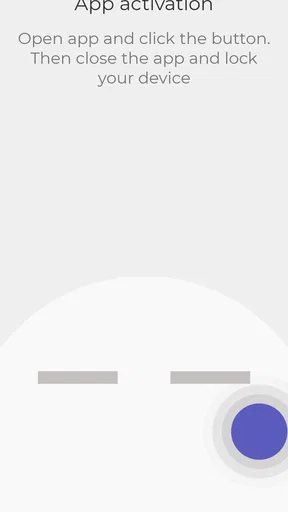
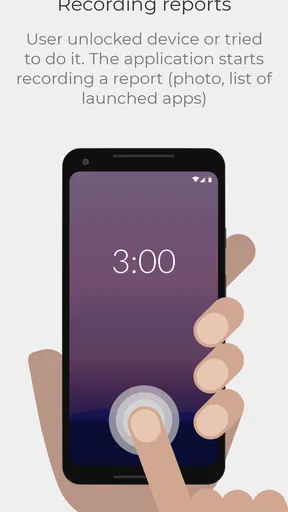
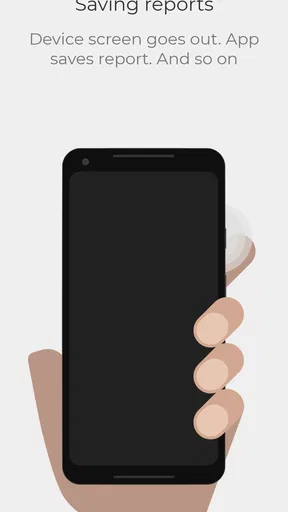
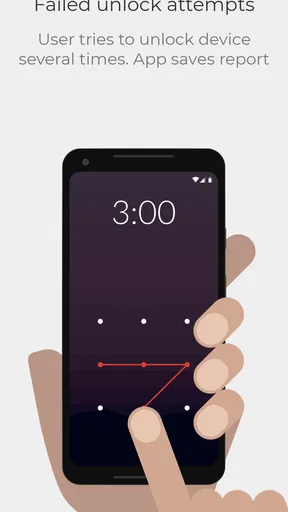
WTMP — Who touched my phone? is a security and privacy app designed to help you discover whether someone has accessed your device without permission. After activation, it can record access attempts and may capture information such as the time of the event, the type of unlock attempt, and, on supported devices, a front-camera image. It is mainly useful for checking activity when you leave your phone unattended.
How does WTMP detect someone using my phone?
The app generally works by monitoring activity after you enable its protection feature. When another person interacts with or attempts to unlock the phone, WTMP can log the event and, depending on the Android version and permissions granted, record additional details. Its performance depends on your device’s lock settings, background restrictions, camera access, and system compatibility, so it should be considered a monitoring aid rather than an absolute security guarantee.
Does WTMP take photos of the person who touched my phone?
On compatible devices, WTMP may use the front-facing camera to capture a photo when an access or unlock event is detected. You normally need to grant camera permission and enable the relevant feature first. Results can vary if the camera is covered, the phone is placed face down, the lighting is poor, or the operating system prevents background camera use. Always review local privacy laws before using this feature around other people.
Is WTMP safe to use, and what permissions does it require?
WTMP can be useful, but you should carefully review the permissions requested during setup. Depending on its features and your device, it may ask for camera access, notifications, storage or media access, and permission to run in the background. These permissions support monitoring and evidence collection, but they also involve sensitive information. Download the app from an official store, check its privacy policy, and avoid granting permissions that are not necessary for your intended use.
Can WTMP work if my phone has no screen lock?
WTMP is most effective when your phone is protected with a PIN, password, pattern, or biometric lock. Without a screen lock, it may be difficult for the app to distinguish an unauthorized user from normal activity, and some monitoring functions may not work as intended. For better protection, configure a strong lock method first, keep the operating system updated, and disable battery optimization for WTMP only if the app’s instructions require it.
